
Build, deploy, secure, and troubleshoot Python web applications, Flask APIs, dashboards, and enterprise portals on Microsoft Azure App Service. Evolvement LLC connects application hosting to Azure SQL, identity, private networking, CI/CD, and observability.
Azure App Service is Microsoft Azure’s managed platform for hosting web applications and HTTP APIs. It supports Python, .NET, Node.js, Java, and container-based workloads. Use it when you need an application endpoint with managed hosting, configurable authentication, monitoring, and scaling instead of operating an entire virtual machine.
Develop Python/Flask websites, REST APIs, secure customer portals, analytics dashboards, and AI application front ends.
Configure Microsoft Entra ID, managed identity, TLS, Key Vault references, and appropriate inbound/outbound network controls.
Use CI/CD, deployment slots where supported, health checks, diagnostics, and rollback-oriented release practices.
App Service becomes the managed hosting layer for secure web applications and APIs. It supports rapid deployment while still giving enterprise teams control over networking, identity, environment variables, certificates, logs, scaling, deployment slots, and monitoring.
The screenshots below are Azure portal-style visuals packaged locally with this page so they render reliably. They show overview blades, configuration and environment variables, production versus CI/CD deployment runs, deployment slots, log streaming, private networking, and metrics.
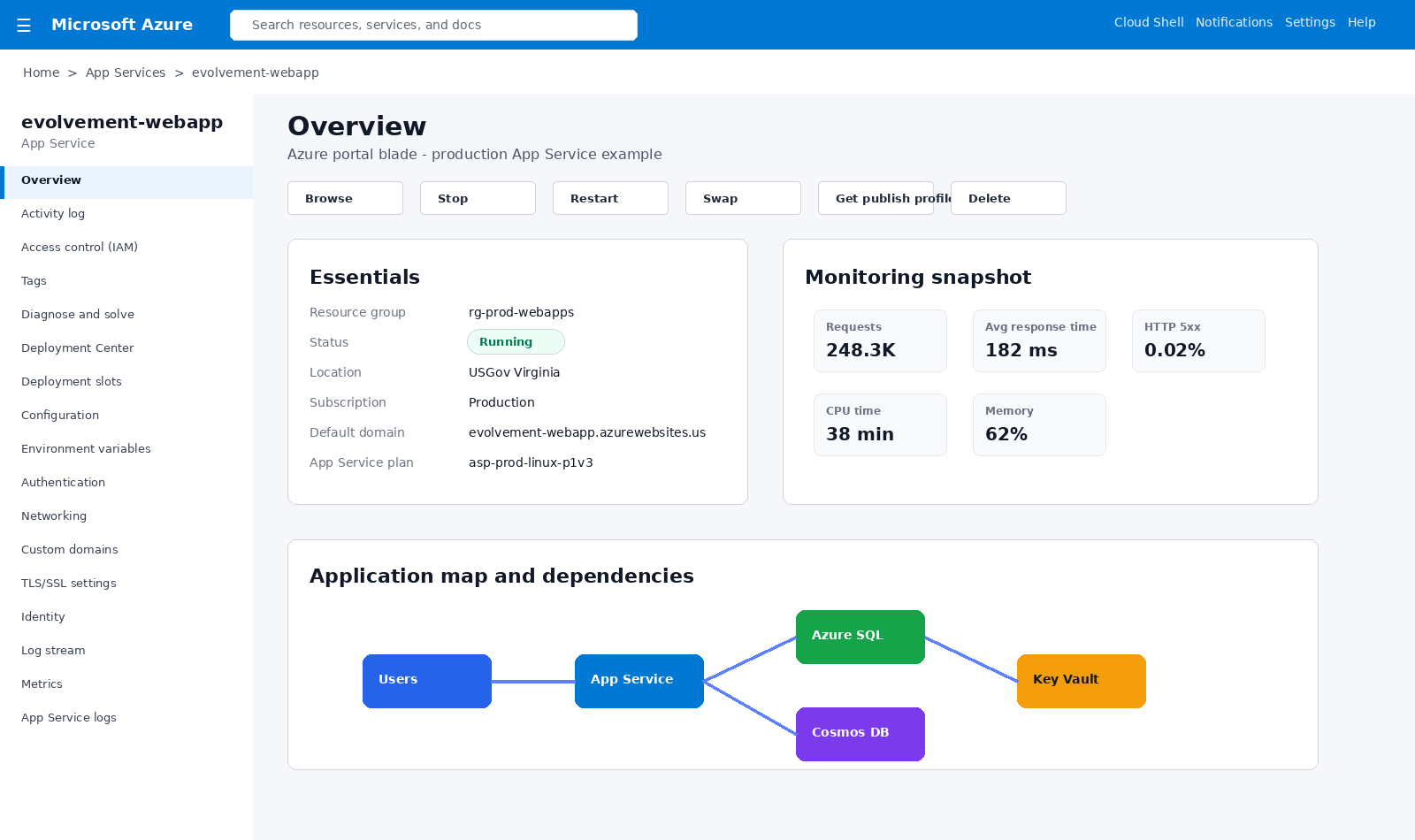
Production App Service overview showing runtime status, resource details, monitoring snapshot, and dependency map.
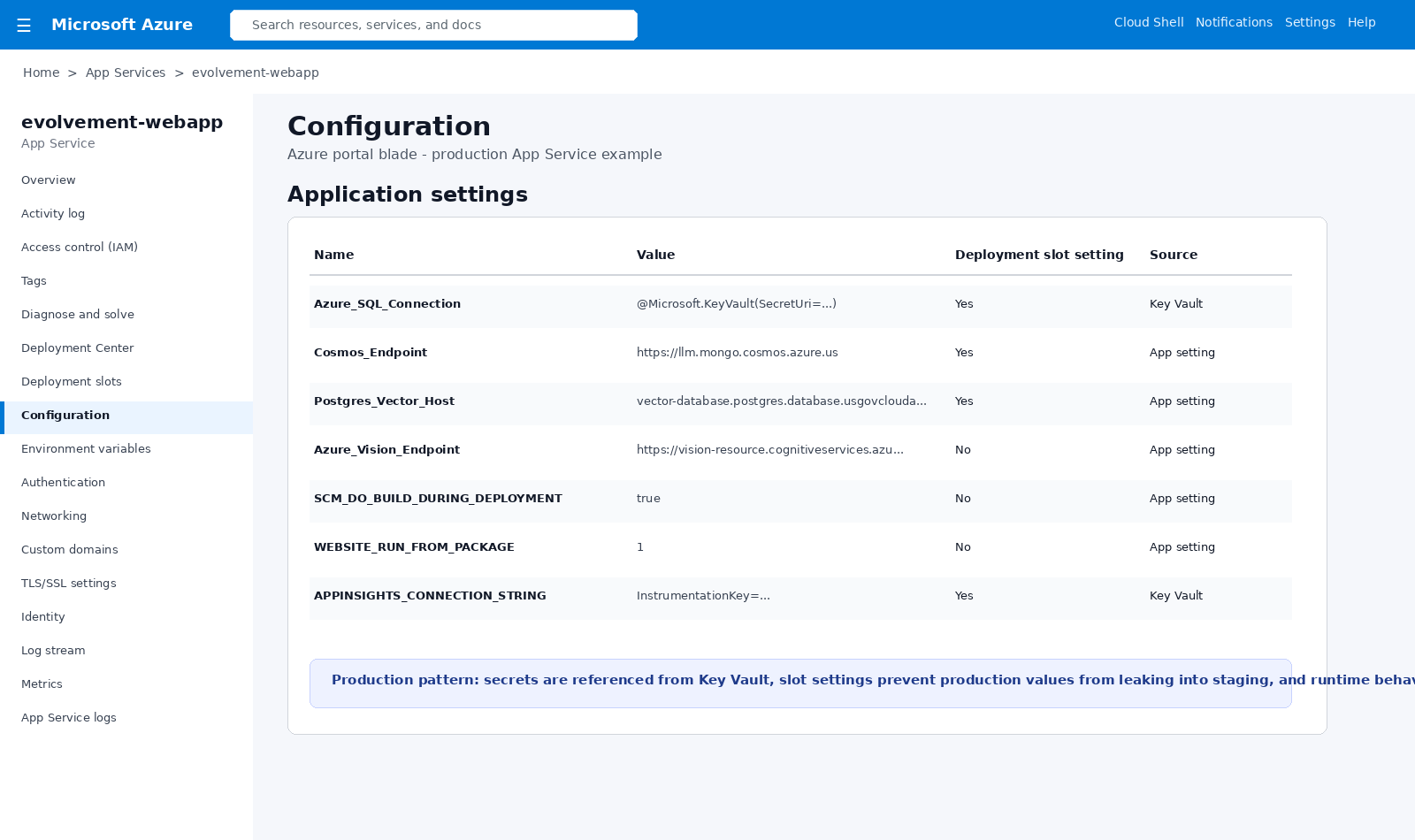
Application settings, environment variables, Key Vault references, slot settings, and secure runtime configuration.
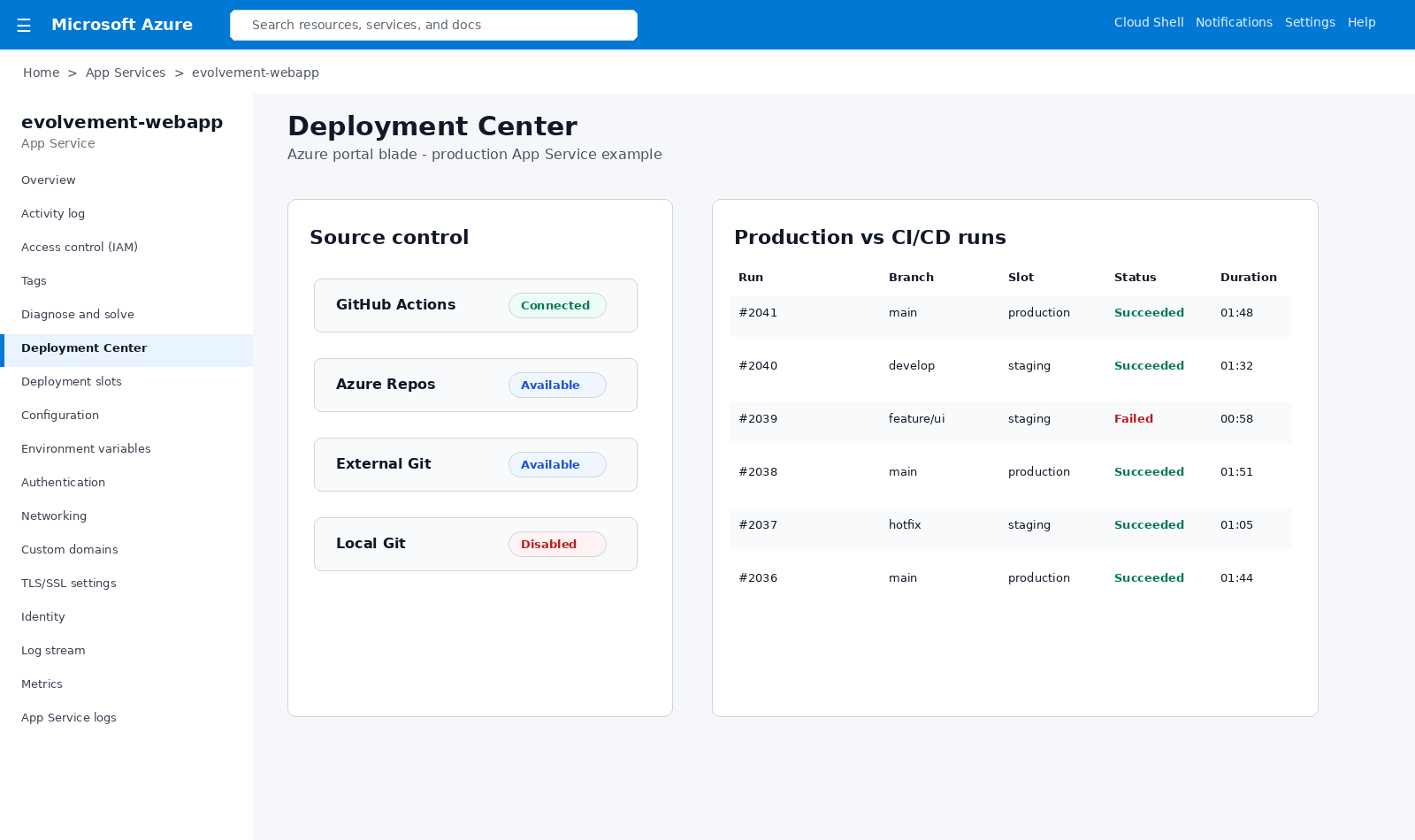
CI/CD run history comparing main, develop, feature, staging, production, failed runs, and successful releases.
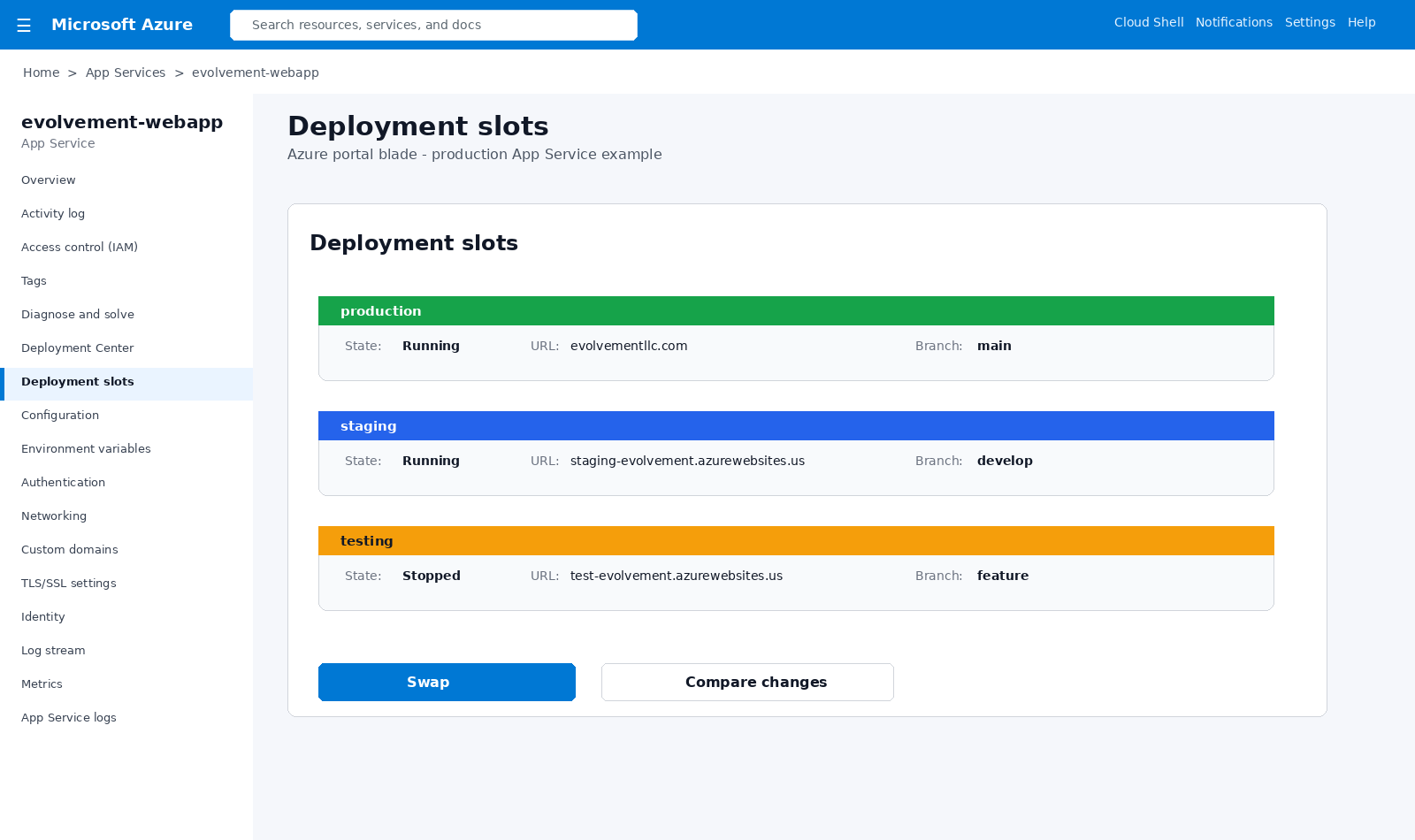
Production, staging, and testing slots support validation, staged releases, hotfixes, and safe production swaps.
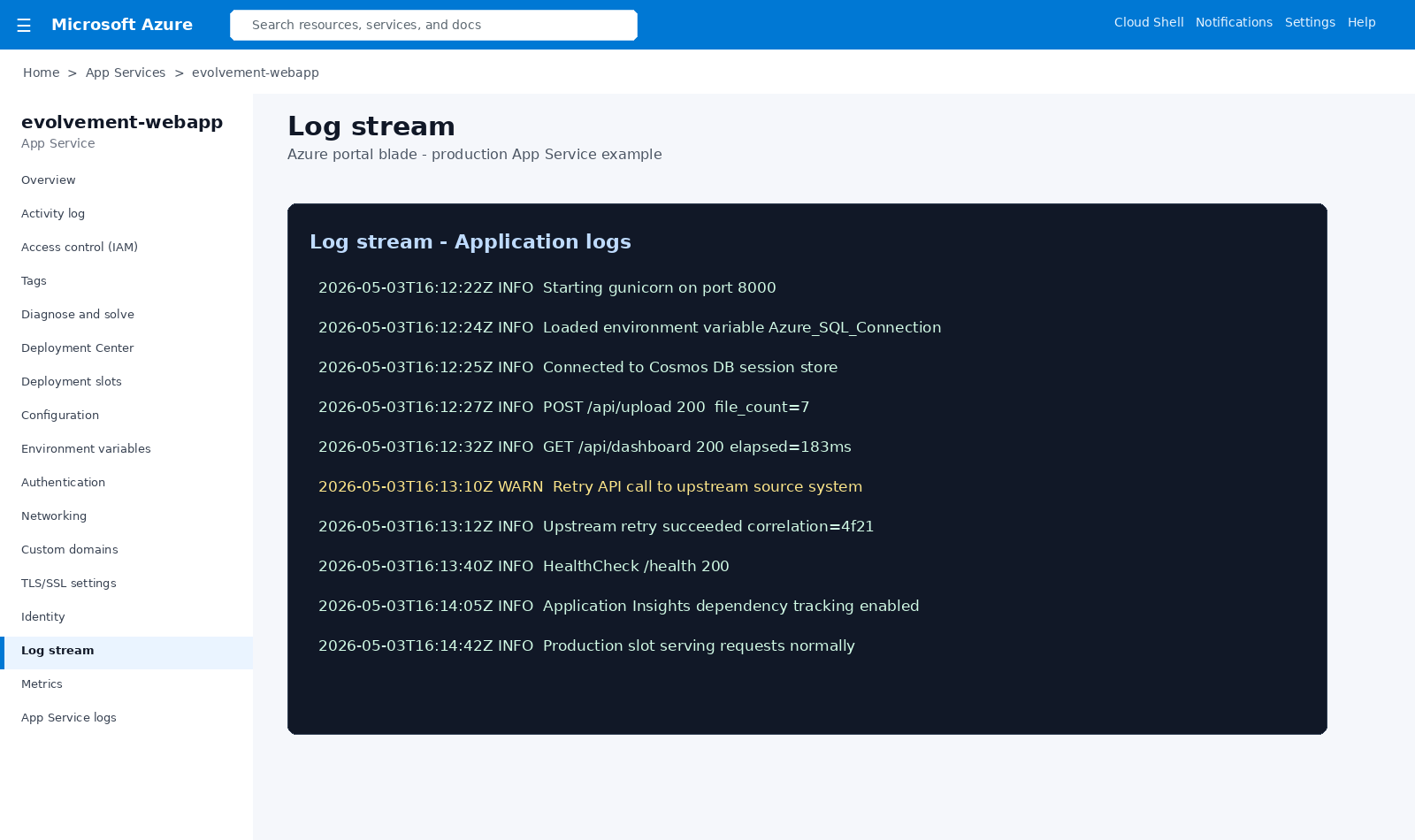
Live application logs show startup, environment variables, upstream retries, requests, dependencies, and health checks.
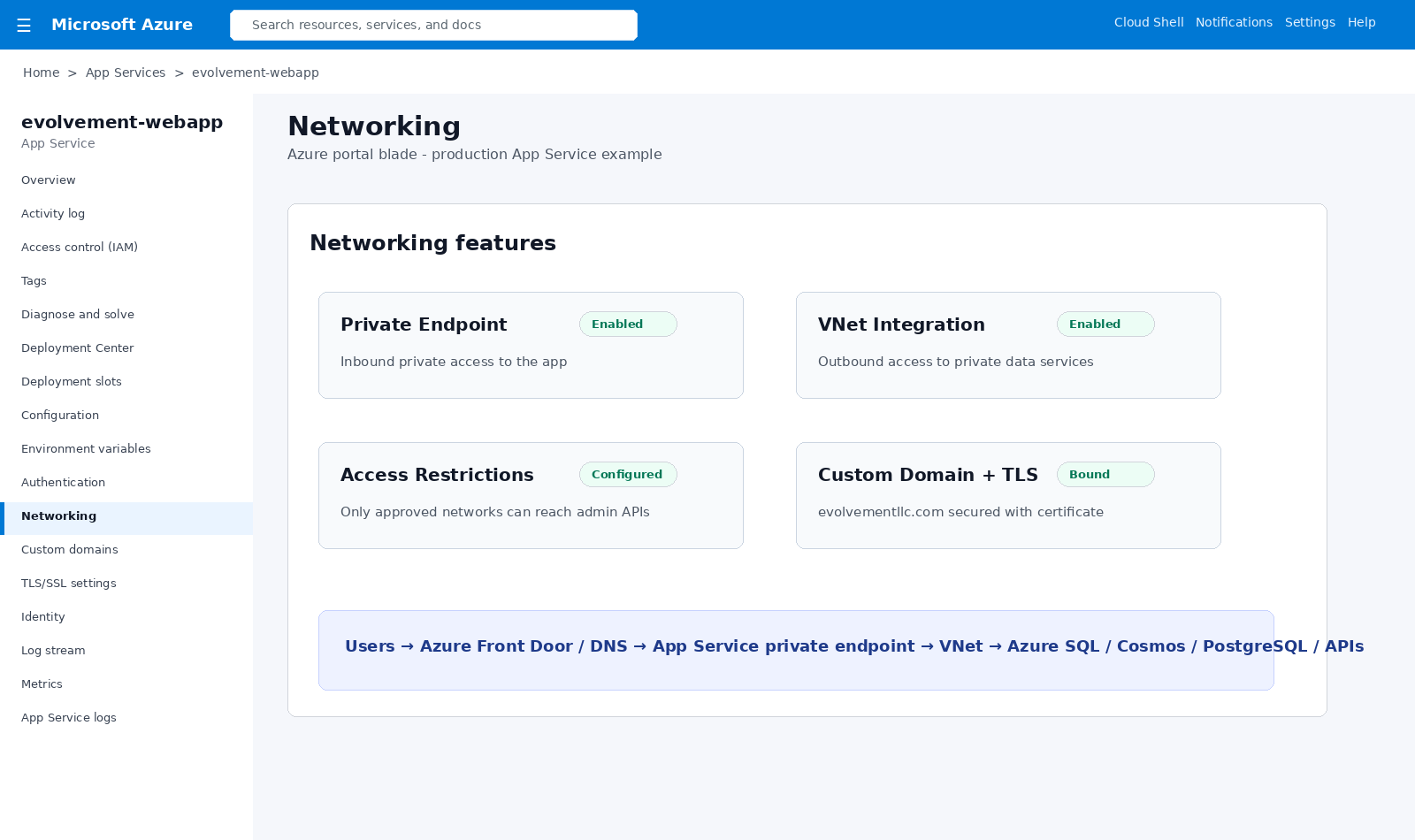
Private endpoints, VNet integration, access restrictions, custom domains, and TLS protect application traffic.
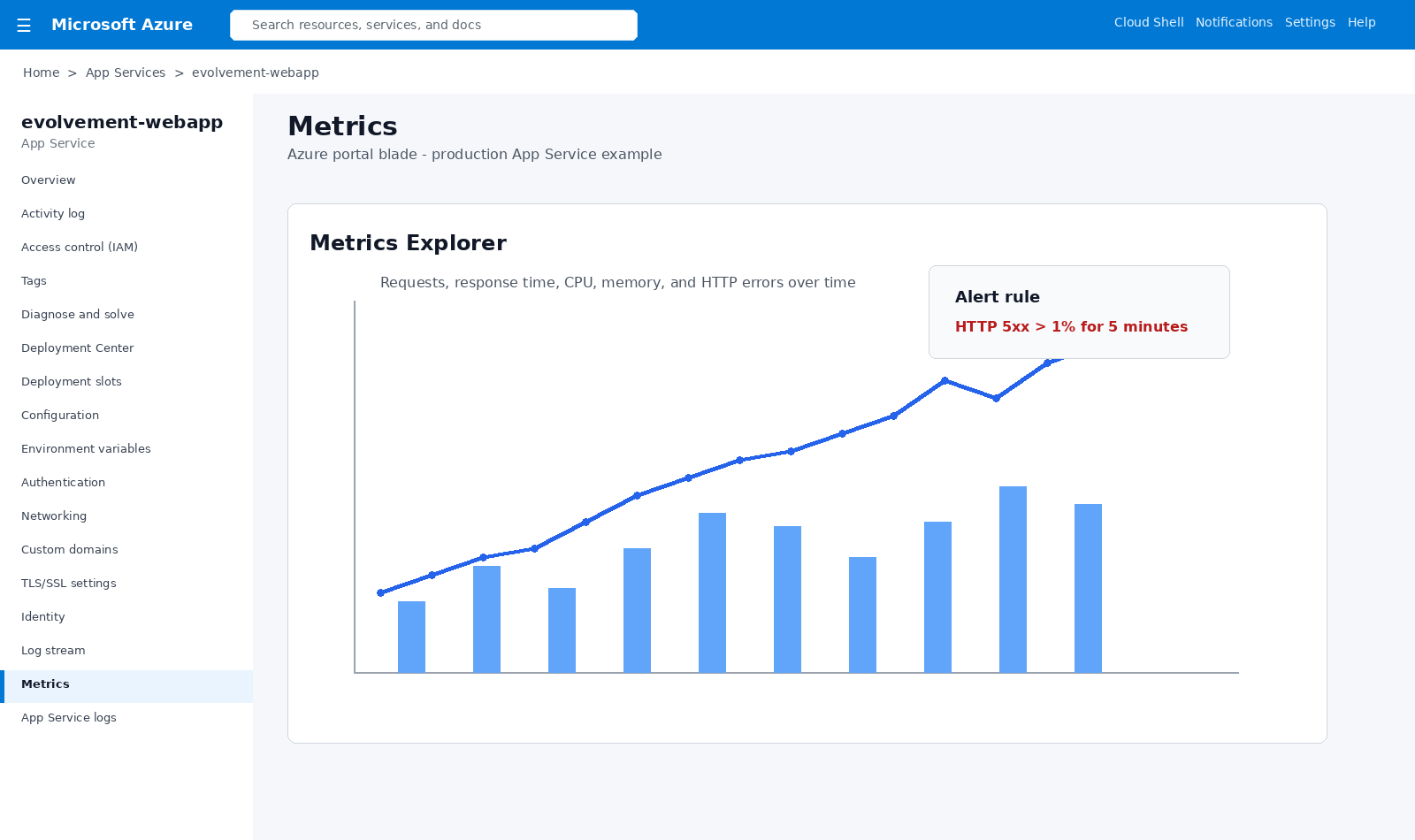
Metrics Explorer tracks requests, response time, CPU, memory, HTTP failures, alerts, and health trends.
Internal teams, customers, analysts, approvers, and administrators.
Portal, dashboard, API, AI interface, intake form, or operations tool.
Managed identity, Entra ID, app roles, secrets, and Key Vault.
Azure SQL, Cosmos DB, PostgreSQL, storage, APIs, and lakehouse sources.
GitHub, Azure DevOps, staging slots, CI/CD runs, and production swaps.
Logs, metrics, alerts, diagnostics, scaling, health checks, and rollback.
This pattern makes App Service the secure application layer that users interact with while backend systems remain governed through identity, private networking, managed configuration, APIs, deployment slots, and monitored release practices.
A production-ready Azure web application needs more than an uploaded ZIP file. The hosting plan, application runtime, identity, network access, data connection, and operating model must work together.
Choose the runtime, application entry point, configuration strategy, hosting plan, and API contracts. Separate the website or API from its SQL, PostgreSQL, Cosmos DB, and storage services.
Configure Microsoft Entra authentication or application-level access controls as appropriate. Use managed identities and least-privilege permissions, and distinguish inbound private endpoints from outbound VNet integration.
Deploy from source control or an approved package, test startup and health checks, configure Application Insights or logging, and validate the application before routing production users.
Practical troubleshooting often involves HTTP 401/403 authorization problems, HTTP 500 application startup failures, missing environment variables, private DNS or Azure SQL connectivity, and deployments that work locally but fail in the hosted runtime. Diagnosis should start with logs, identity permissions, networking, and the actual deployed startup command.
Direct answers to common questions about azure app service and python web application consulting.
Yes. Azure App Service supports Python web applications on supported Linux runtime configurations. Flask, Django, and other Python frameworks can expose web pages and APIs; the deployed application still needs the correct entry point, dependencies, and startup configuration.
A common approach uses Microsoft Entra authentication or another approved identity pattern, managed identity where supported, least-privilege database permissions, and appropriately configured firewalls, VNet integration, private endpoints, and DNS. Requirements depend on the environment.
App Service is designed for continuously hosted websites and APIs. Azure Functions is optimized for event-driven and scheduled code execution. Solutions can combine both instead of treating them as mutually exclusive.
Not normally. App Service is a managed hosting platform, so teams deploy applications without directly administering the underlying web server. The hosting plan, runtime, application security, and operating controls still require configuration.
Azure Government offers App Service capabilities, but specific regions, integrations, runtime versions, and compliance requirements should be verified for each deployment. Using an Azure Government region alone does not certify an application for a particular impact level.